Add Install Packages - Admin
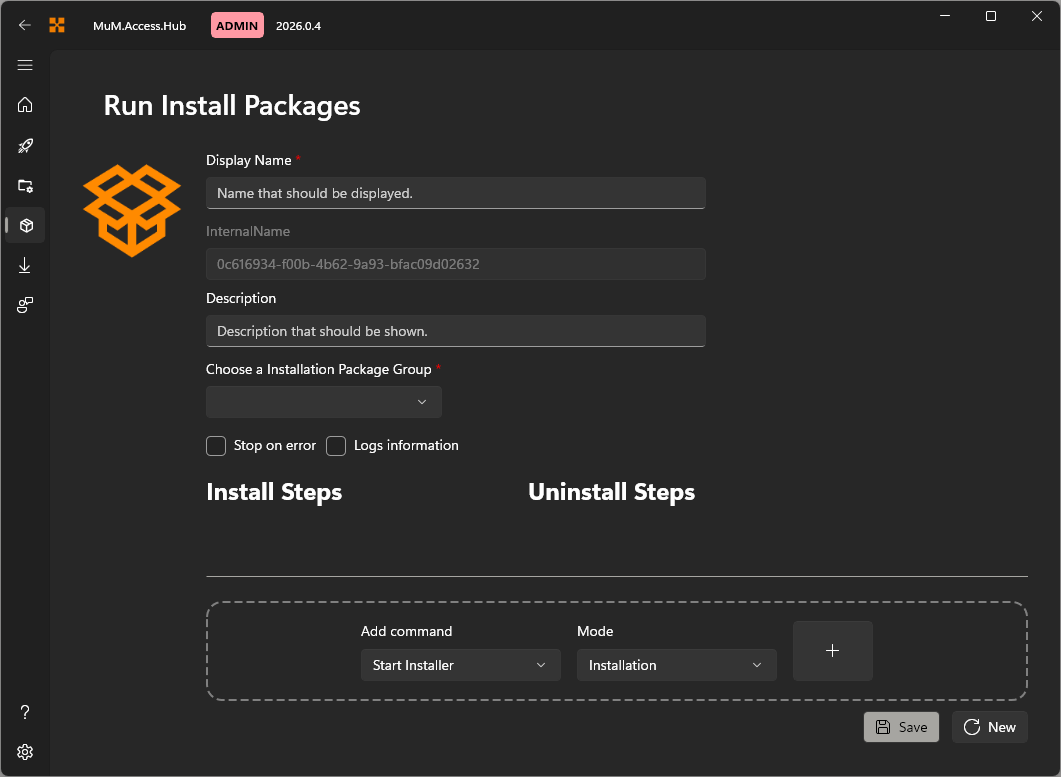
Via Create Installation Package, new installations can be created for various needs. It provides the option to define not only a Run install but also a Run uninstall to uninstall the Software application.
Icon
Click on the icon to replace it with predefined icons.
Display Name
Add an Displayname. This name will show in the Run Install Packages.
Internal Name
The internal name is assigned randomly and cannot be modified. This ensures uniqueness.
Description
The description is also displayed in the Run Install Packages and may contain information about the software.
Installation Package Group
Select a group to which the new install package should be added.
Additional options
Additionally, it can be defined whether the configuration should stop in case of an error or if the log information should be included.
Add command
In the Add command, various functions can be added to the configuration.