Run Install Packages
In the Run Install Packages section, predefined installation packages can be executed either as a single package or as an entire package group. This allows software packages to be made available system-wide and managed globally.
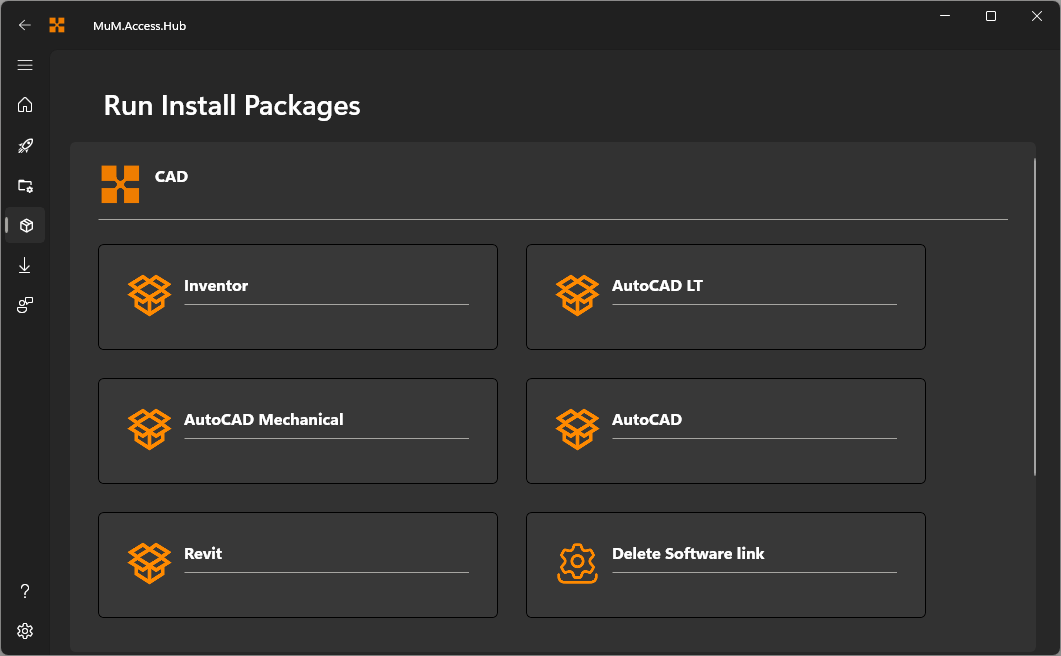
Run installation
When a single package is selected, it can be executed via Run install. The built-in logs help identify and correct errors.
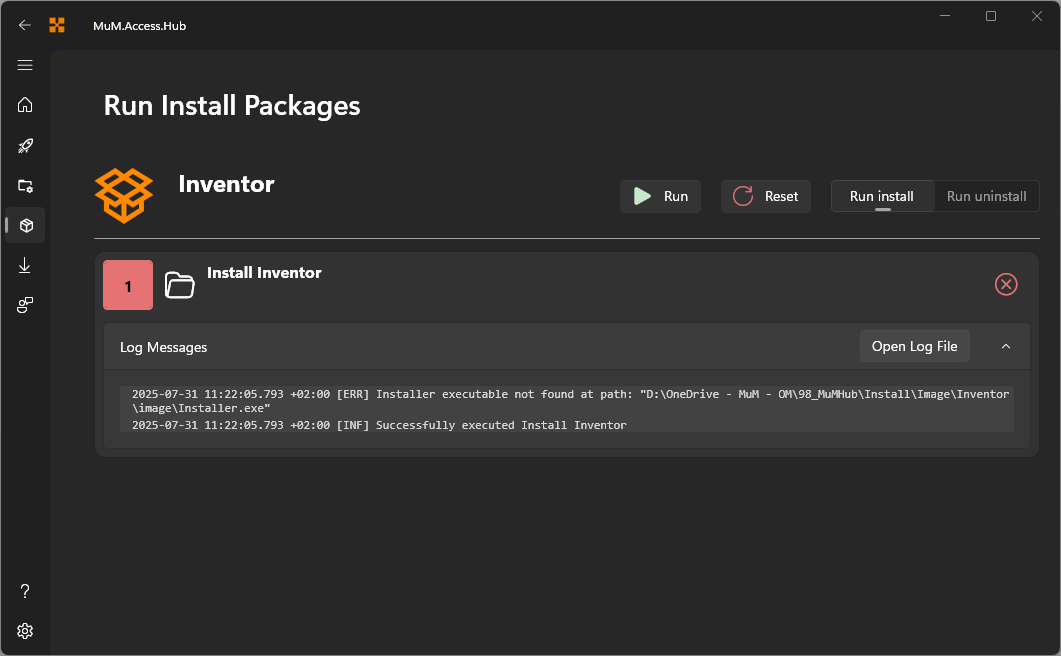
The individual steps are displayed and marked on the right side with a green checkmark (for successful execution) or a red cross (for a failed execution). Clicking on Reset allows the status of the log messages to be cleared and the installation to be restarted.
Run install group
A package group bundles several individual installation packages that can be executed together. Each package is listed with its execution position number.
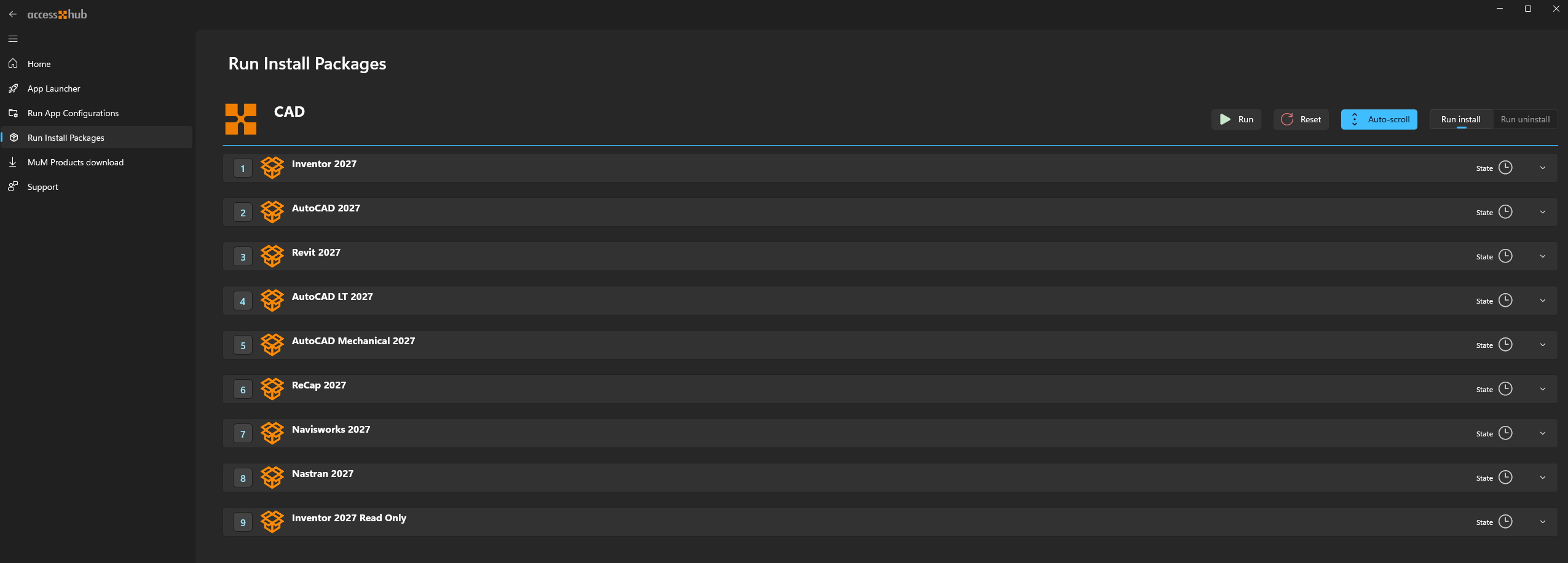
The toolbar offers Run install to execute every package in the group as an installation. A Run uninstall button is also shown, but can only be used by an administrator.
Each package within the group can be expanded or collapsed by clicking on it, showing its own steps and status, marked the same way as above with a green checkmark or red cross.
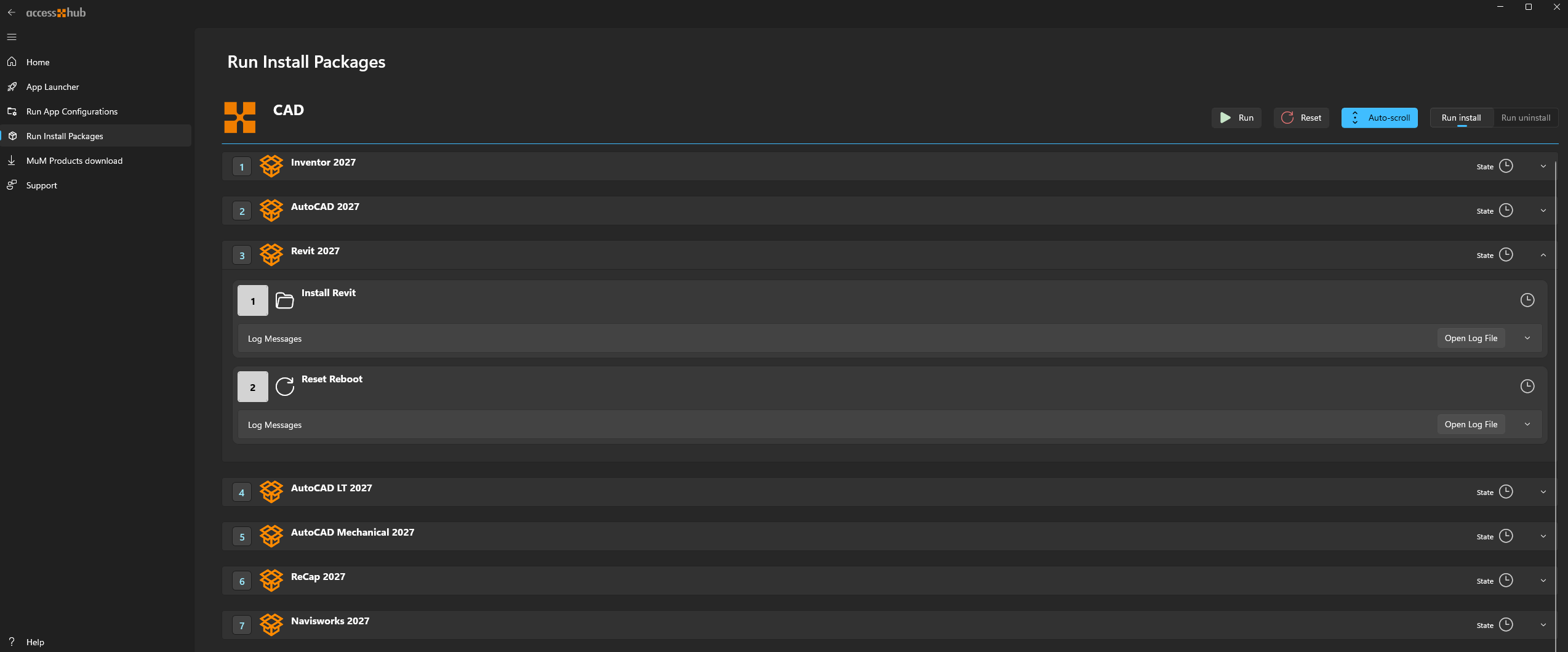
To automatically follow the currently executing step, enable Auto-scroll in the toolbar. Reset clears the log status for the entire group.