App Launcher Module
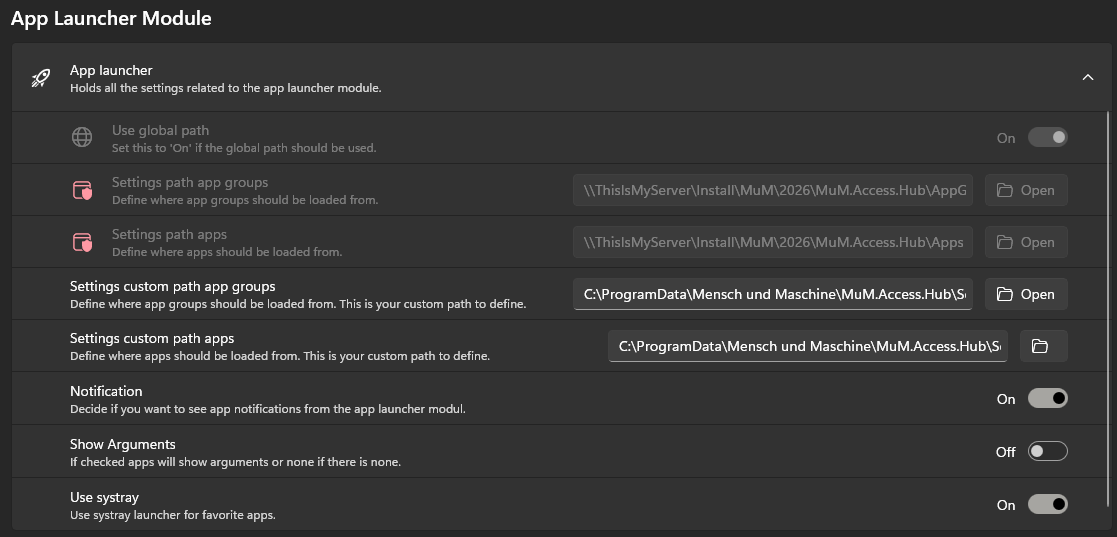
Use global path
Set this to 'On' if the global path should be used.
Settings path app groups
The Settings path app groups defines where the configuration files for the app groups are stored.
If Use global path is set to On, the path from the admin settings will be used.
Settings path apps
The Settings path apps defines where the configuration files for the apps are stored.
If Use global path is set to On, the path from the admin settings will be used.
Settings custom path app groups
This path is where the configurations for the various app groups are stored. It applies only to the custom app groups. These allow you to create and manage your own groups in addition to the admin-defined defaults.
Settings custom path apps
This path is where the configurations for the various apps are stored. It applies only to the custom apps. These allow you to create and manage your own apps in addition to the admin-defined defaults.
Notification
If this option is enabled, a Microsoft notification will be displayed each time the App Launcher (or systray) starts.
Show Arguments
Choose whether you want to view the arguments of the apps.

Use systray
Choose whether you want to use the systray menu.
The global settings can only be changed if you are logged in as admin!