Systray
The systray menu allows you to quickly access your favorites at any time. These favorites can be compiled from different app groups.
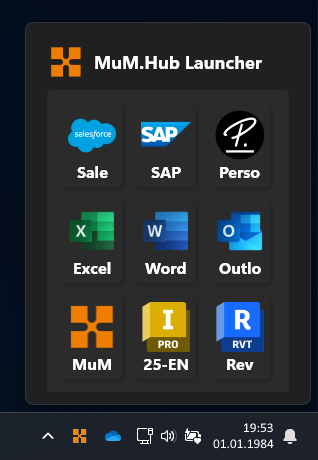
To open the systray menu, click on the MuM logo in the bottom right of the taskbar.

Add App to favorite
To add an app to the systray menu, you can mark it as a favorite in the AppLauncher. After that, it will be available in the systray.
