Configurations Module
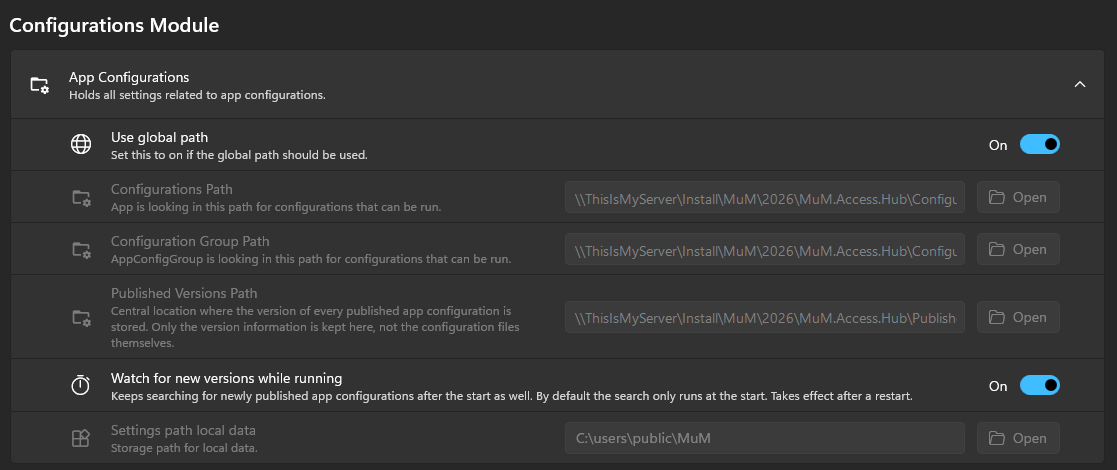
Use global path
Set this to 'On' if the global path should be used.
We recommend not setting these paths manually, but instead using the global paths.
Configurations path
Sets the path for the configuration files created via the App Configurations module.
Configuration Group path
Sets the path for the configuration groups files created via the App Configurations module.
Published Versions path
Central location where the version of every published app configuration is stored. Only the version information is kept here, not the configuration files themselves. This path is required to publish app configurations.
Watch for new versions while running
By default, the MuM.Access.Hub only checks for newly published app configurations at the start. If this option is set to On, it keeps checking while it is running. See Update App Configurations.
The change takes effect after a restart of the MuM.Access.Hub.
Settings path local data
This path is used for the local copy of the configuration data, helping to minimize permission issues.
If Use global path is set to On, the path from the admin settings will be used.
The global settings can only be changed if you are logged in as admin!